Customising Default Thank You Pages in Infusionsoft
I bet you’re bored of having to change the Thank You pages on webforms and email links in Infusionsoft- I’m here to ease your pain.
I bet you're bored of having to change the Thank You pages on webforms and email links in Infusionsoft- I'm here to ease your pain. This little video will walk you through how to set your own default Thank You pages for both webforms and email links that go to Thank You Pages.
There are two thank you pages that need to be changed
The Webform Thank You Page
Head over to the branding center
Infusionsoft>Admin>Branding Center
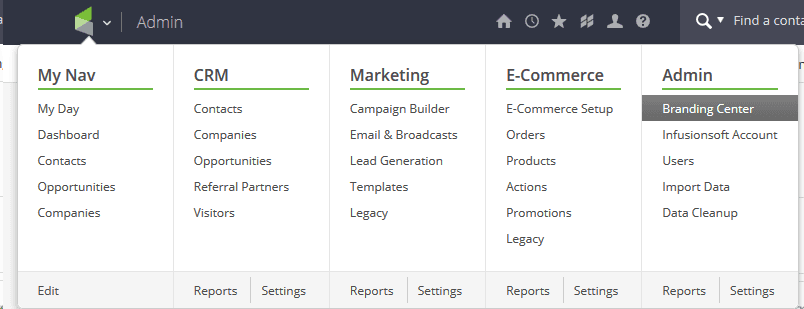
Scroll down and click on Campaign Form
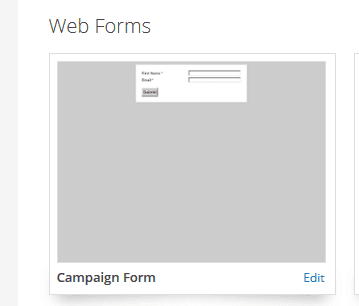
And after clicking Edit, click on the Thank-you Page tab
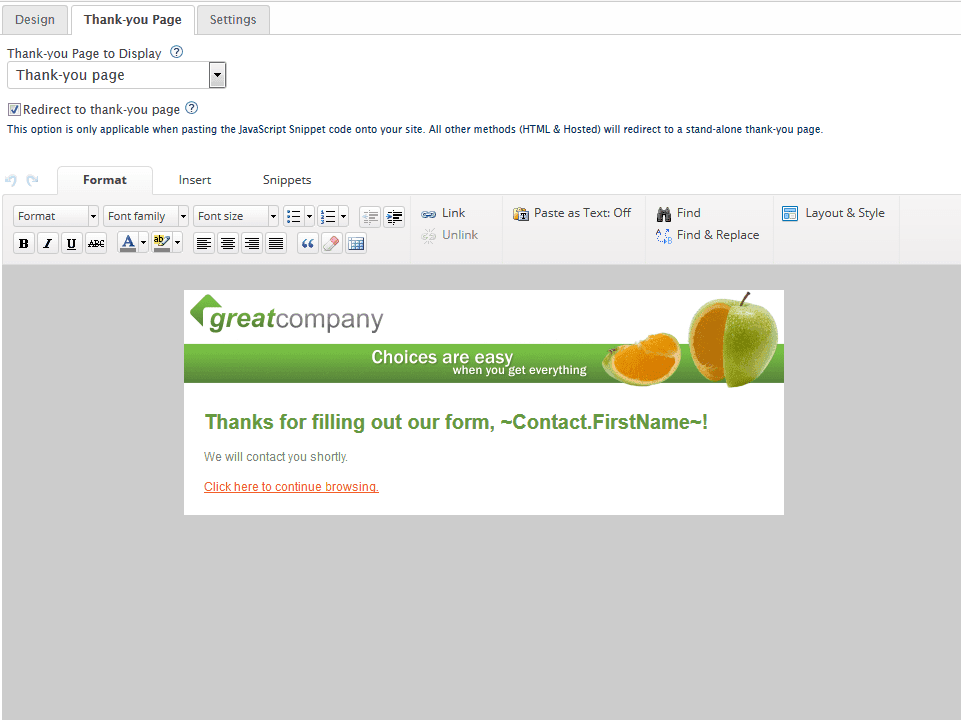
change the layout/style. Add your own logos and social media links, and make sure you put the browsing link back in.
The Email Link Thank You Page
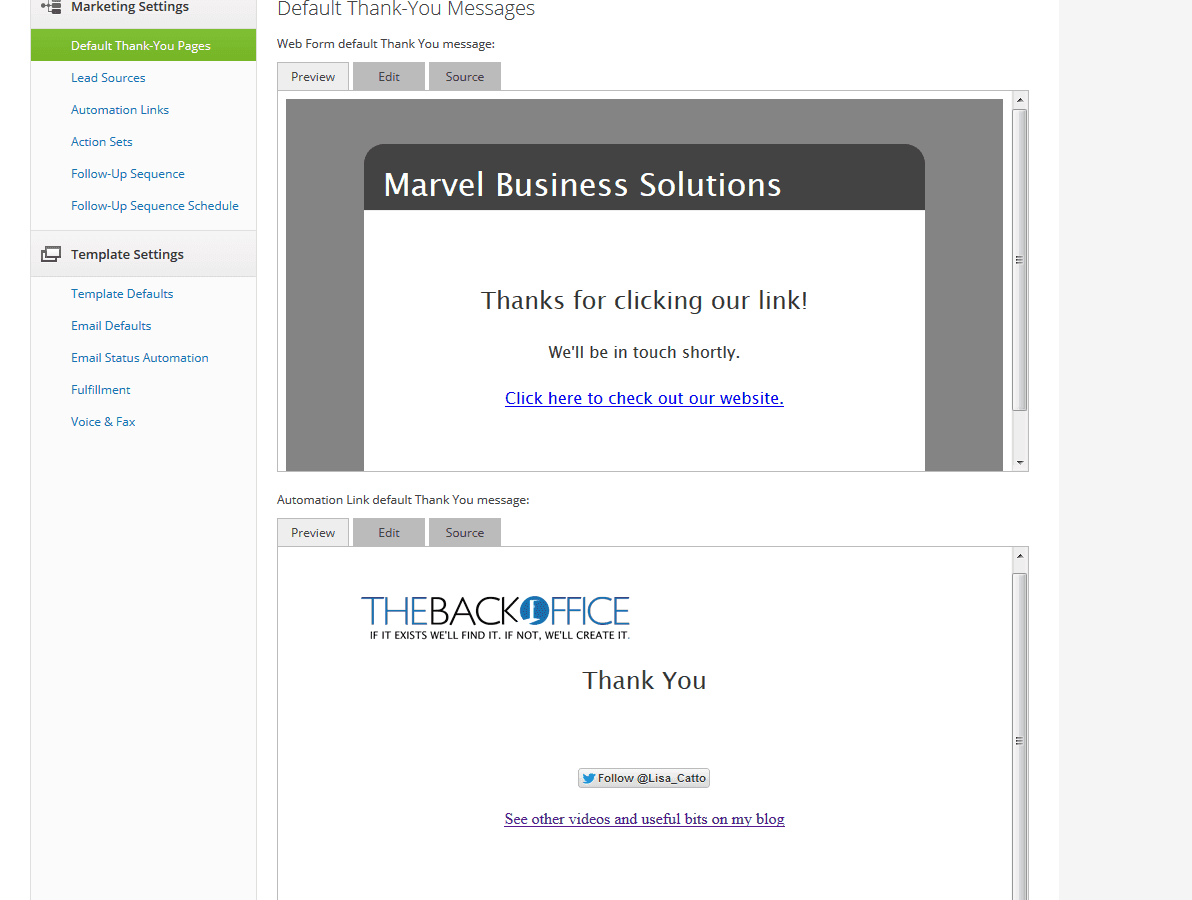
Head over to Infusionsoft>Marketing>Settings
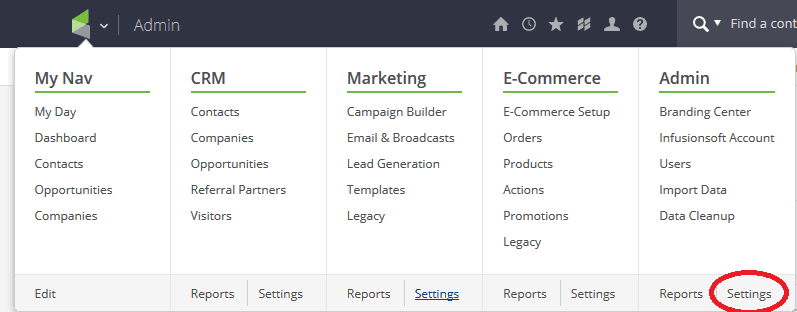
Ignore the top Web Form default Thank You Message, and go to the second one, Automaton Link Thank You Message
Click on source and delete the html code
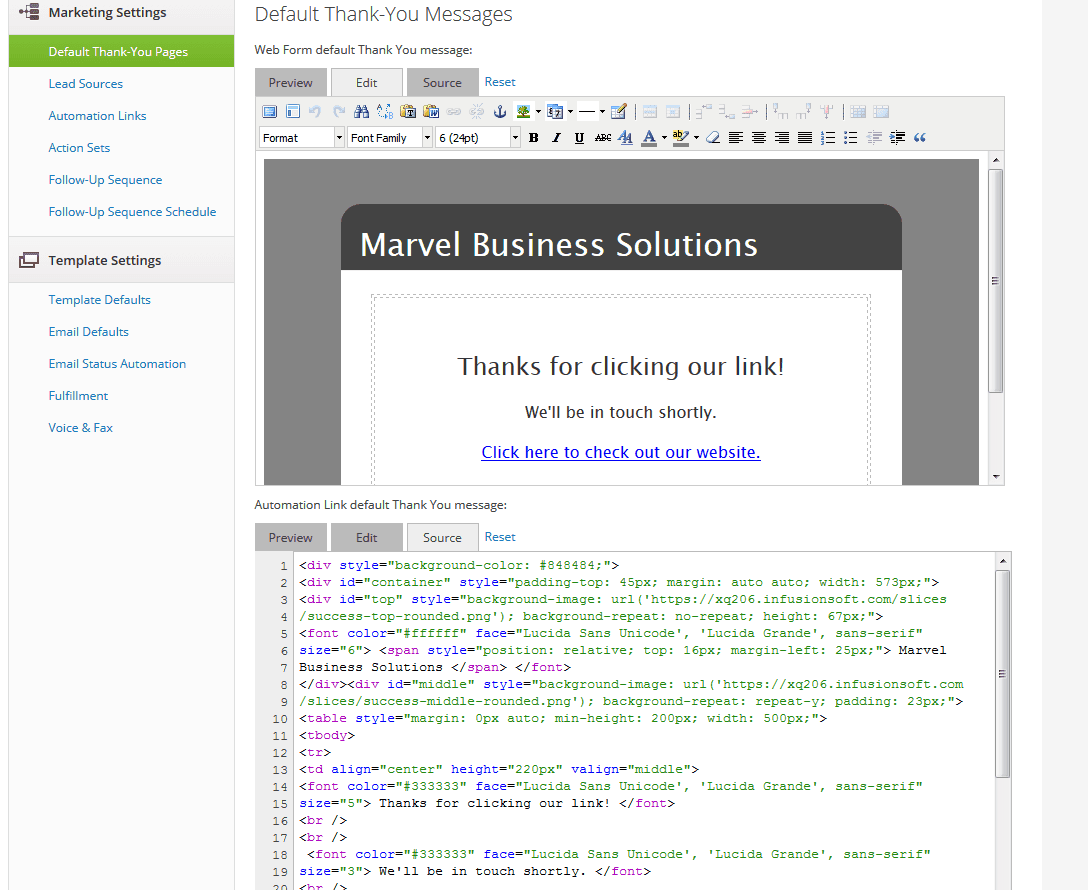
Then click back on edit and use the WYSIWYG editor to rebuild the page with your own branding
I bet you're bored of having to change the Thank You pages on webforms and email links in Infusionsoft- I'm here to ease your pain. This little video will walk you through how to set your own default Thank You pages for both webforms and email links that go to Thank You Pages.
There are two thank you pages that need to be changed
The Webform Thank You Page
Head over to the branding center
Infusionsoft>Admin>Branding Center
Scroll down and click on Campaign Form
And after clicking Edit, click on the Thank-you Page tab
change the layout/style. Add your own logos and social media links, and make sure you put the browsing link back in.
The Email Link Thank You Page
Head over to Infusionsoft>Marketing>Settings
Ignore the top Web Form default Thank You Message, and go to the second one, Automaton Link Thank You Message
Click on source and delete the html code
Then click back on edit and use the WYSIWYG editor to rebuild the page with your own branding

Lisa
Business Catalyst
Lisa has been an entrepreneur since 1990 with her core focus steadfastly consistently being – “if a job is worth doing, it’s worth doing well”